Your gym plan, every set logged, weights that go up
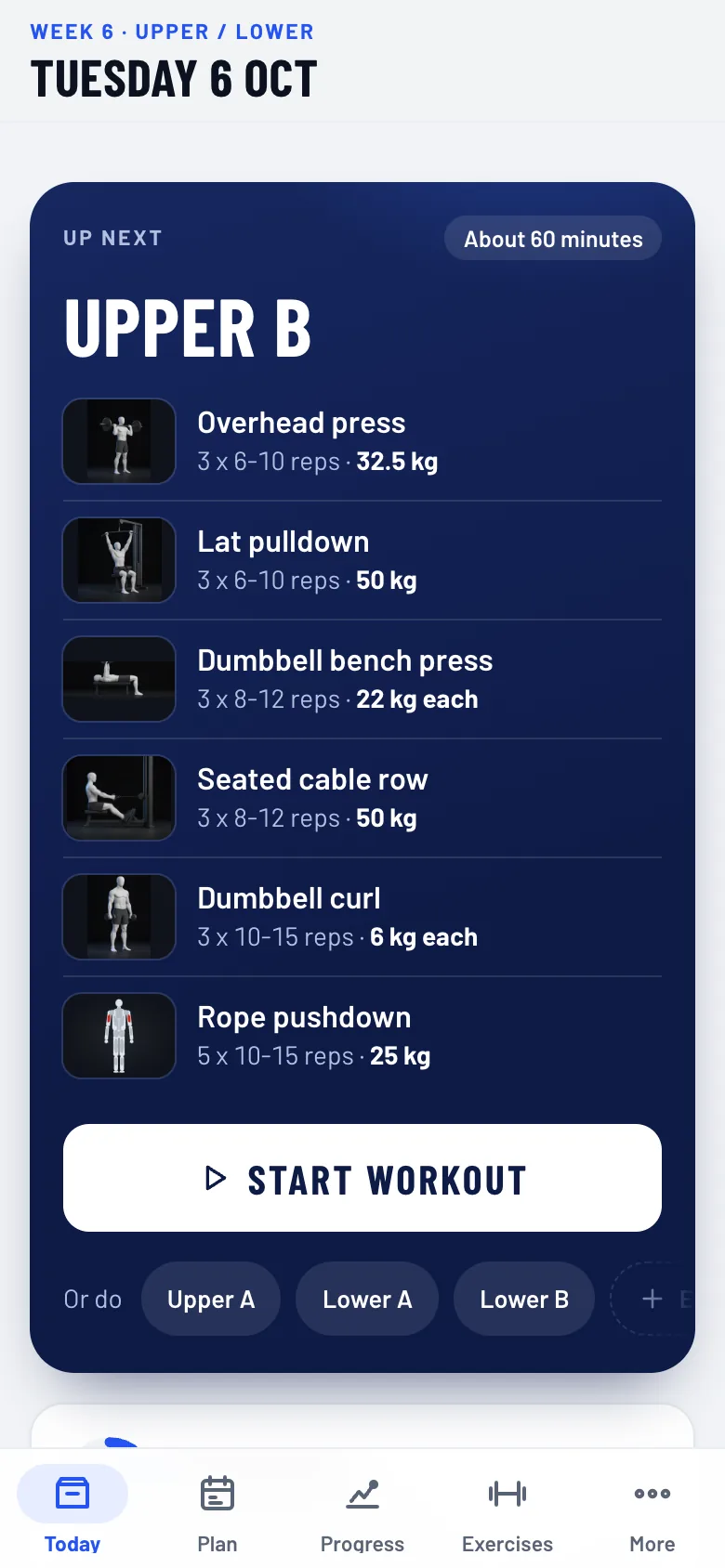
Quwwa builds a strength plan around your goal, the days you can train and the equipment you have. In the gym it tells you what to lift, logs every set, and raises the weight when you are ready.
A plan that fits you
Pick a goal (strength, muscle, fitness), 2 to 6 days and your equipment: full gym, home dumbbells or bodyweight. Full body, upper/lower and push pull legs splits.
Every set logged in seconds
Weight and reps are filled in for you. Tick the set, rest with the built-in timer, and see last time's numbers next to today's.
Progress that is earned
When you hit the top of the rep range, the next session goes up. A light week comes when you need one, not on a fixed calendar.
Arabic and English
The whole app works in both, right to left in Arabic, including 266 exercises with pictures and form cues.
Works offline
Install it from the browser. It works in a basement gym with no signal, and your workouts stay on your phone.
Ramadan mode
Shorter sessions and timing around iftar and suhoor when you fast.
Free tools and guides
Workout programs
Every plan here is the one the Quwwa app builds for that split, with the exact exercises, sets, reps and rests. Start one in the app and it fills in your weights and moves them up as you get stronger.
Exercises
The exercises Quwwa's plans are built on, each with pictures, the cues that matter, the muscles it trains and what to swap it for.
Gym calculators
Three calculators lifters use every week, in kilograms, with the same maths as the Quwwa app.
Training in Ramadan: when to lift, eat and drink
When to train in Ramadan (before iftar or after), how to eat and drink between iftar and suhoor, and how to keep your strength while fasting.
Training guide
The same guide that is inside the Quwwa app, in plain words. Each point that makes a research claim links to its source.
Start in under a minute
- Open quwwa.halemogpa.com on your phone, no account needed.
- Answer three questions: your goal, how many days, what equipment.
- Start your first session. Add Quwwa to your home screen to use it like an app.
Questions people ask
Is Quwwa free?
Yes. Everything you use today is free, and there are no ads.
Do I need an account?
No. Your data stays on your phone. If you want it on two devices, turn on Sync: it is end-to-end encrypted.
Is it for beginners?
Yes. It starts with the main lifts at weights you can control and explains each exercise. Experienced lifters can pick their own split and progression.
Does it work on iPhone and Android?
Yes, in Safari or Chrome. Use Add to Home Screen to install it like an app.